Real Estate Photo Enhancement · Updated Nov 29, 2026
AI Real Estate Photo Enhancement for Dark Rooms & Blown-Out Windows
Even sharp phone or mirrorless listing shots suffer from muddy shadows and white, washed-out windows. Single-exposure enhancement balances interior light, neutralizes mixed color casts, and recovers outdoor window views without changing furniture or architecture.
In brief: Upload a single JPG, PNG, WebP, or HEIC photo to balance interior shadows, white balance, and window highlights in ~25 seconds. Standard brightness and color corrections typically require no MLS disclosure badge and cost $0.98–$1.80 per 2K photo on pay-as-you-go credit packs.
1. Choose editing tool
2. Upload listing photo
or drag & drop JPG, PNG, WebP, or HEIC up to 16 MB · No sign-up required
Standard lighting & color correction — typically needs no alteration disclosure. Read MLS guidelines
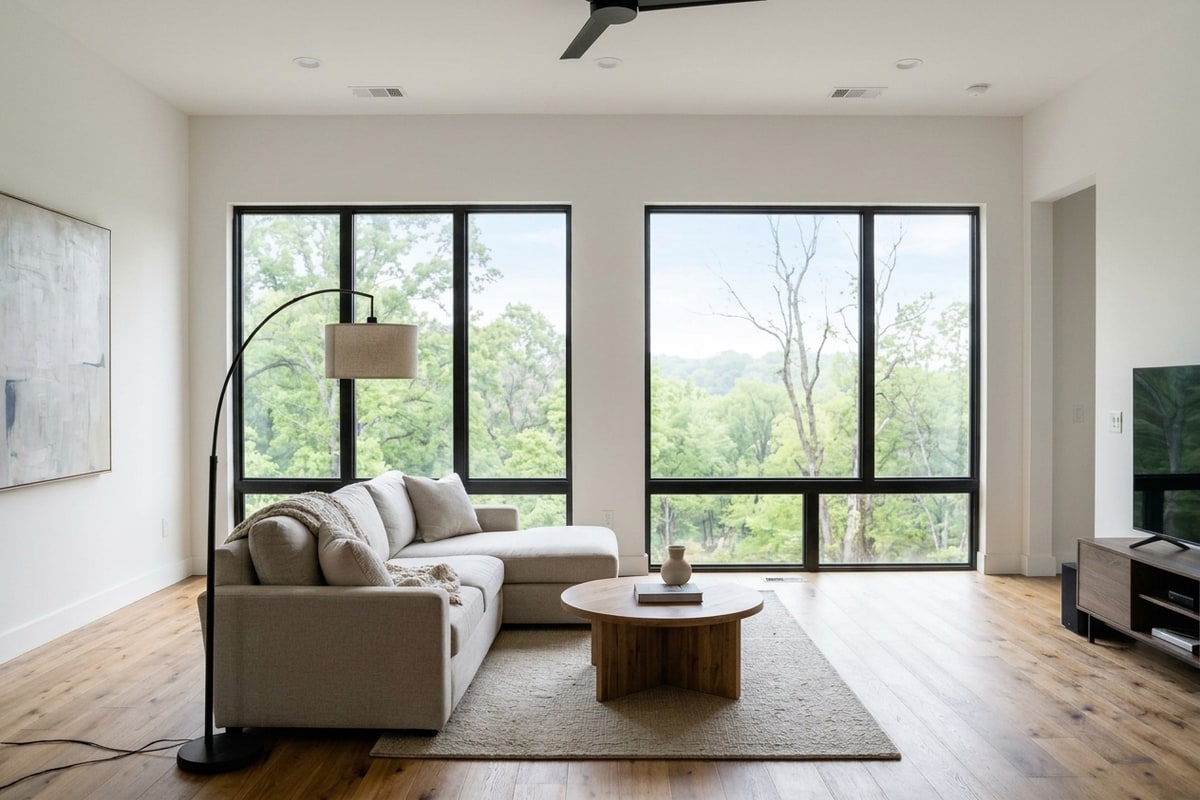
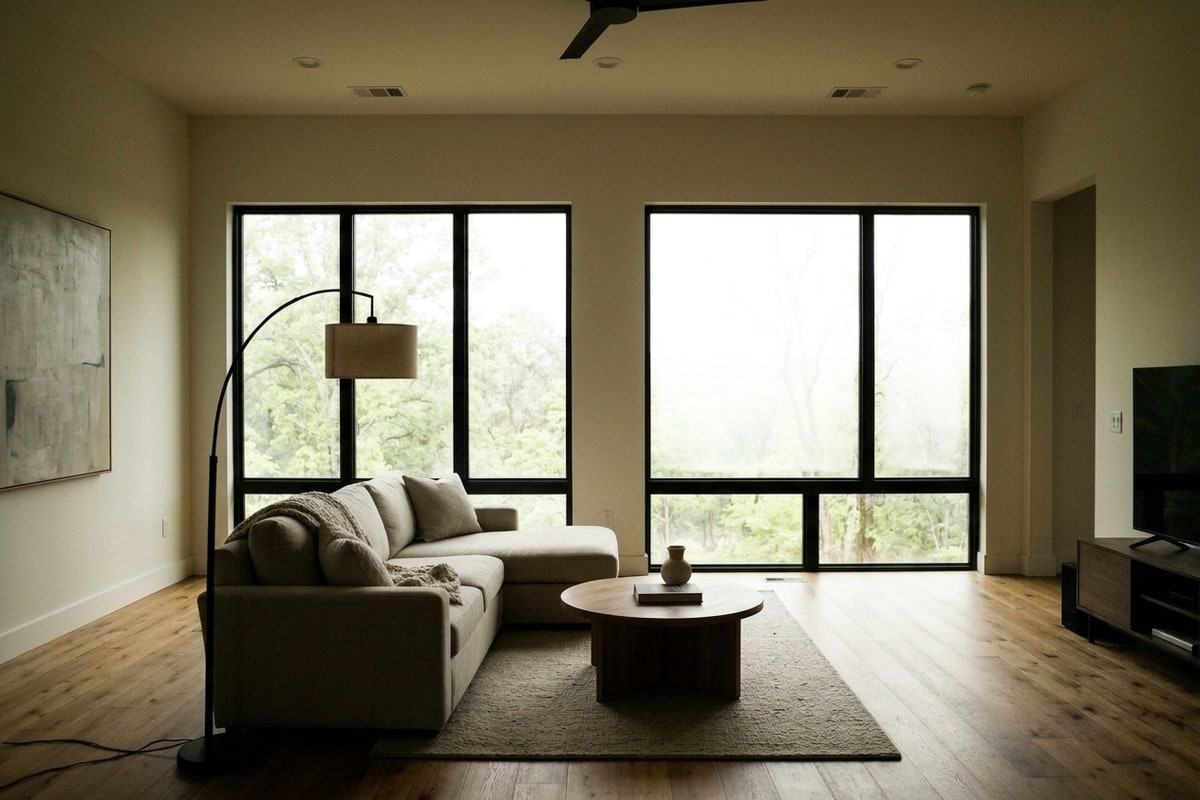
Sample Proof
Interior exposure & window-pull comparison
Standard exposure, white-balance, and window-pull corrections generally do not alter physical property features and typically require no alteration disclosure. Review full MLS disclosure guide.
When single-shot HDR enhancement helps most
- ✓Single-exposure rooms shot on iPhone, mirrorless, or DSLR without flash
- ✓Mixed tungsten and daylight color casts turning white walls yellow or green
- ✓Blown-out windows where trees, patios, or neighborhood views disappear
- ✓Slightly tilted interior verticals that need clean architectural alignment
How single-exposure enhancement runs in 3 steps
- 01Upload any JPG, PNG, WebP, or HEIC listing photo (up to 16 MB; EXIF/GPS stripped).
- 02Inspect the balanced exposure and window pull in the interactive Before/After curtain.
- 03Download full-resolution 2K JPEG ready for MLS upload — zero disclosure label needed for standard color/lighting edits.
Single-Shot HDR Benchmark
What changes in a single-exposure enhancement pass
Traditional bracketed HDR demands a tripod and 3–5 exposures. Here is what an instant AI lighting pass corrects vs. leaves strictly untouched.
| Adjustment Area | What Is Corrected | What Stays Locked | MLS Impact |
|---|---|---|---|
| Window highlights | Recovers bright exterior patio, trees, and skyline view without harsh HDR halos | Window mullions, blinds, and neighboring structures | Tier 1 · Typically no disclosure needed |
| Mixed color temperature | Neutralizes orange ceiling bulbs and cool north daylight toward clean neutral whites | Actual wall paint undertones, wood stain, and cabinet finishes | Tier 1 · Standard color correction |
| Shadow recovery | Lifts dark corners, under-cabinet shadows, and hallway depth while preserving natural contrast | Structural condition — never paints over cracks or stains | Tier 1 · Must remain accurate to the eye |
| Vertical geometry | Gently aligns leaning doorframes and wall edges on handheld wide-angle frames | Room proportions, ceiling height, and focal perspective | Tier 1 · Standard photographic crop/level |
Need to clean loose items or swap overcast exteriors too? Combine Enhancement with Decluttering or Sky Replacement in the workbench above.
Other listing photo tools on Listing Photo Editing
Compare credit packs ($0.98–$1.80) →Frequently asked questions
Do I need bracketed HDR exposures?+
No. Upload a single JPEG, PNG, WebP, or HEIC photo — no 3-shot or 5-shot bracket required.
Does enhancement make rooms look fake or over-processed?+
No. The prompt prioritizes natural daylight, neutral whites, and authentic shadow depth rather than over-saturated HDR halos.
Do standard lighting edits require an MLS disclosure?+
Under typical MLS guidelines, exposure, brightness, contrast, white balance, and straightening are standard photographic adjustments that do not require disclosure, though you should always confirm your local MLS policy.